
How to Break the YouTube Addiction: Turning Off Your History
in Productivity
Last updated:

I find YouTube addictive. I go there to watch an informational video, and, BAM, the video recommendations beg me to watch something else.
But I found a way to stop the vicious cycle. Turning off my YouTube history. Once you kill the history, YouTube will be a blank slate.
How to Turn Off YouTube History
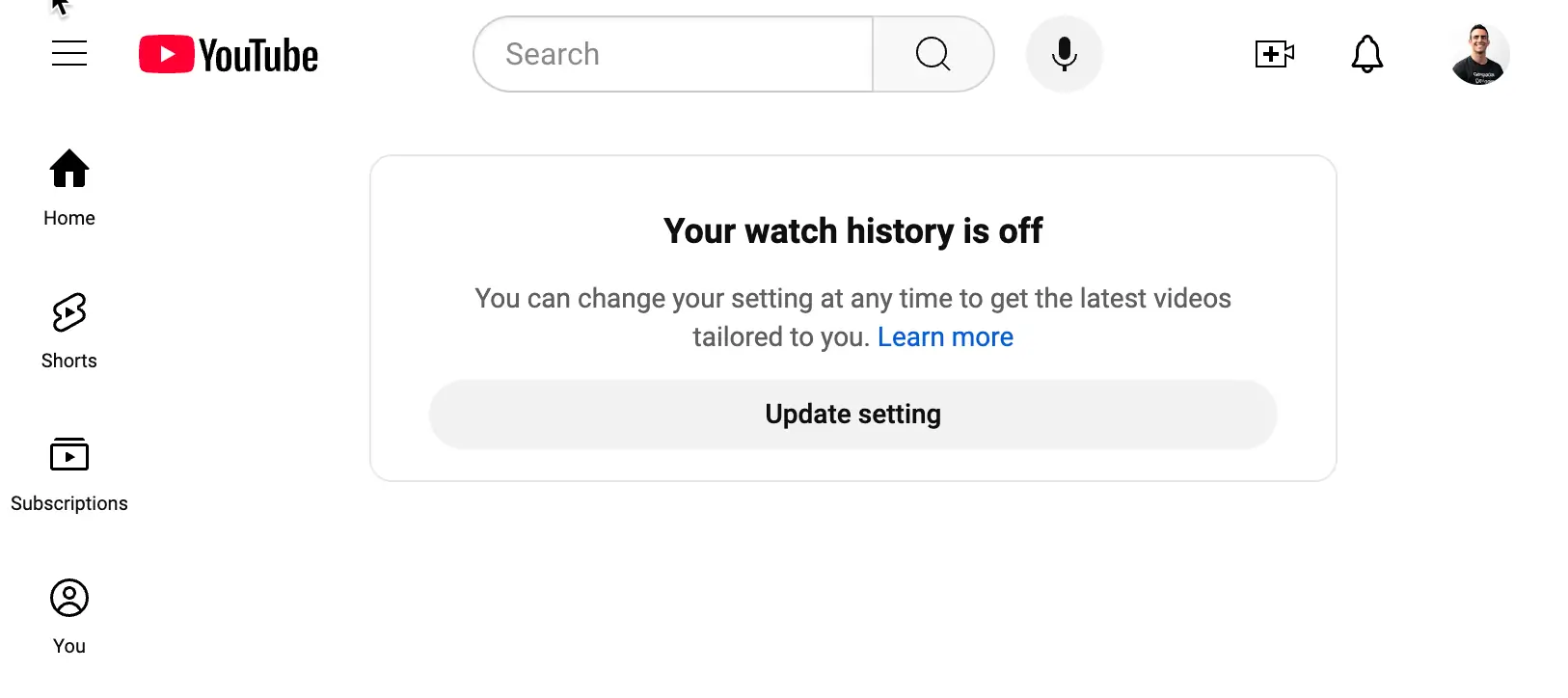
First, navigate to Google's Data & Privacy Page. Then, you'll see a setting called 'YouTube History.' Hit 'pause,' and your YouTube history will no longer be factored into recommendations.
But we must continue. YouTube will keep recommending videos that match your existing history even though you have pausednew history from happening.
To delete allyour history, you will need to click on the 'YouTube History' and then hit delete
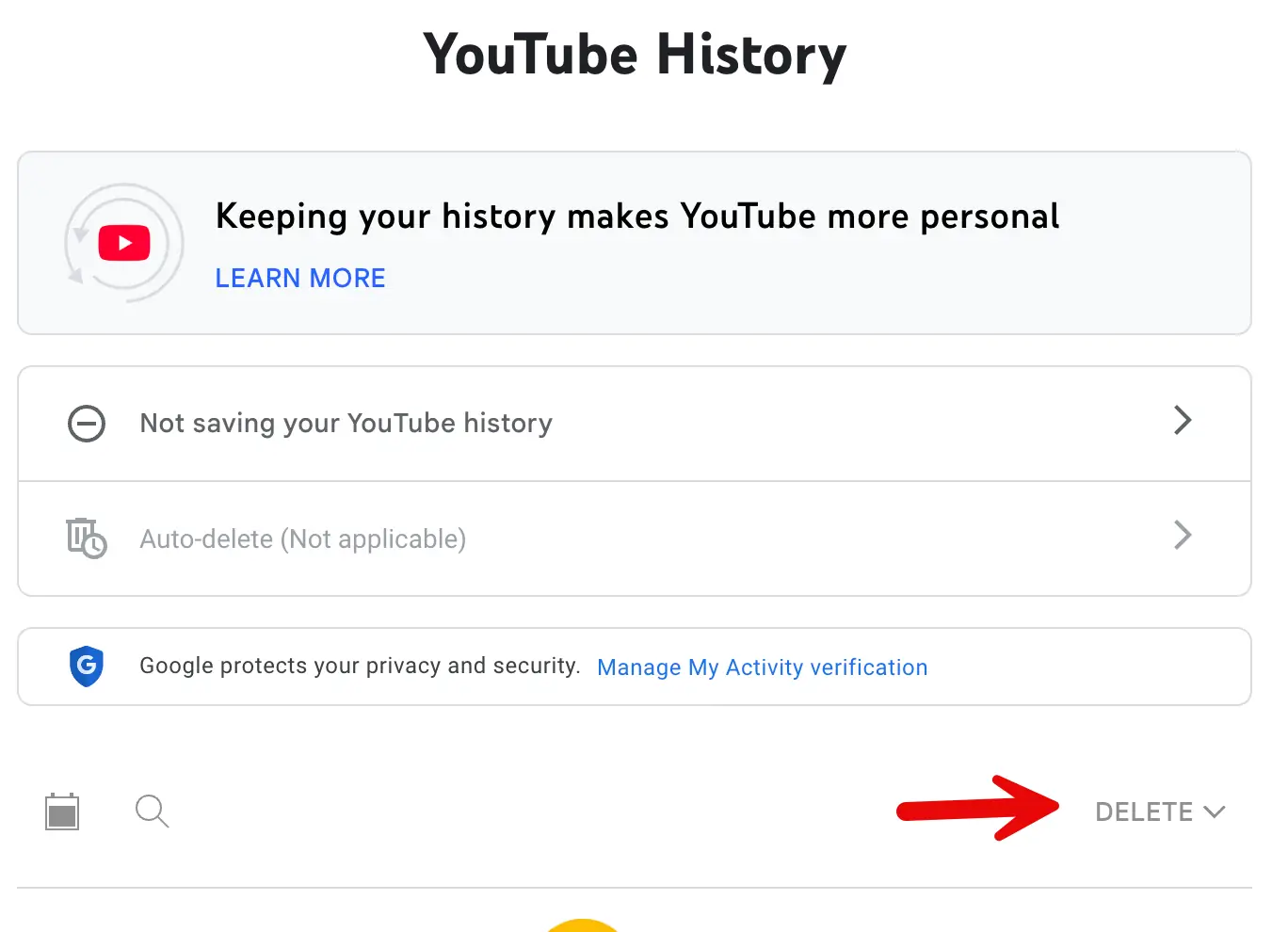
If you have followed the steps, you should have deleted all your YouTube History and paused the creation of any new history.
What Are the Pros and Cons of Removing YouTube History?
It's an age-old conundrum: The more 'private' you are, the less relevant your ads and recommendations will be. Some people say, "My information is already out there; I might as well capitulate to Big Corp®."
With Google, YouTube, Instagram, etc., I have found that these technologies are expertly crafted to be ADDICTIVE, not practical or helpful. Any utility is overshadowed by the rabid A/B testing designed to increase 'active user minutes.'
I would rather keep as much user behavior data as I can out of the hands of advertising companies like Google.
What YouTube is like post-history scrubbing
Now, if a friend sends me a YouTube video or I have to look something up, I only watch one video, and there is no enticement to keep watching more videos. I notice the following changes:
- The YouTube homepage is blank (Thank Goodness)
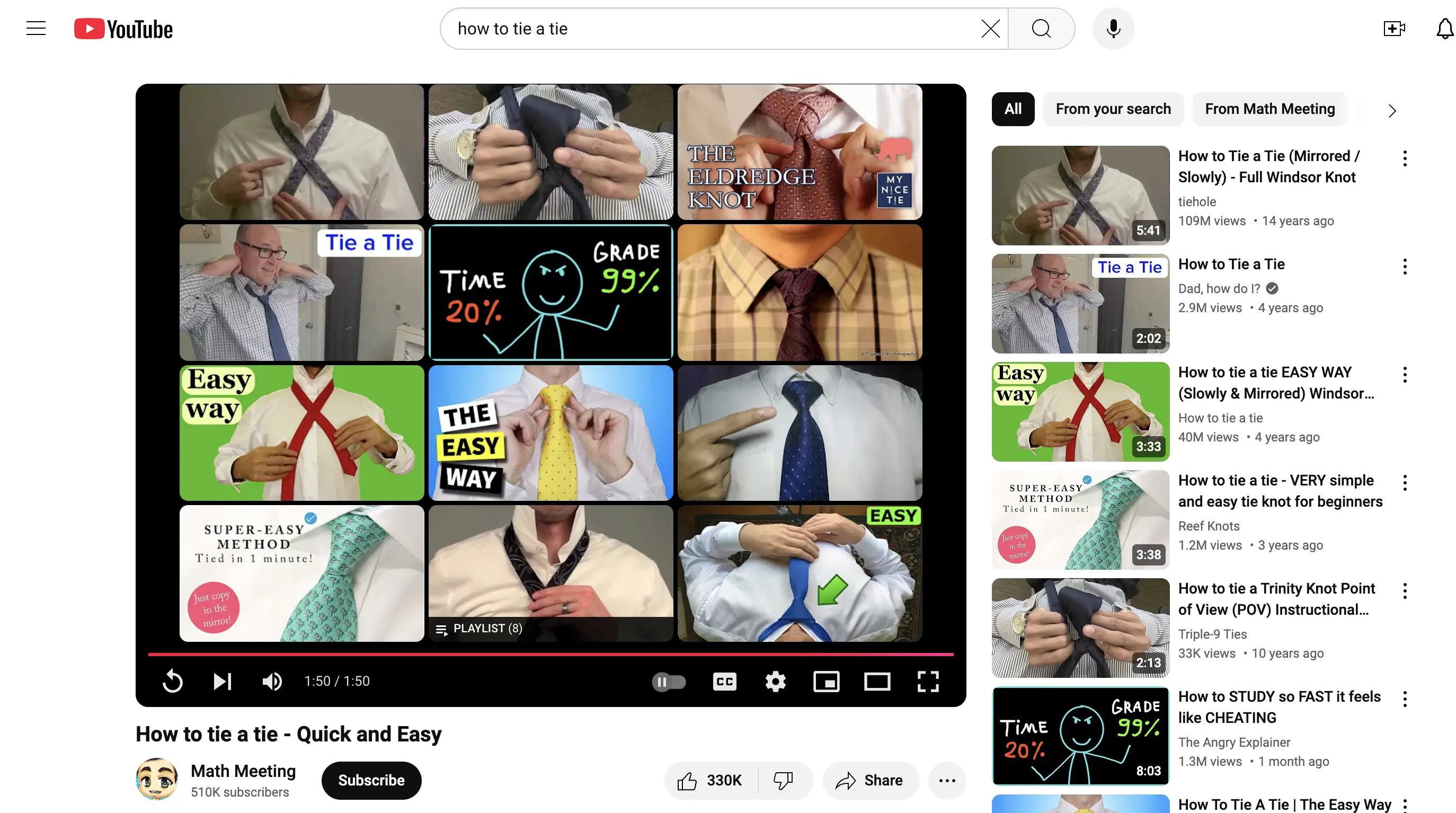
- When I watch a video, all the suggested videos in the sidebar and preview are directly related to the video. For example, if I watch a video called 'How to Tie a Tie,' I only see recommendations related to tying ties. There's no sneaky business happening where I get recommended videos based on what I have watched.
Personally, I like the change. Each video is a clean slate, and I am not 'sucked into YouTube' like I used to. If you need help with the addictiveness of YouTube, I hope you'll try the history wipe and let me know how it works for you.
Comments
- No comments yet.


Related Posts

 22 min read
Learn the key terms and concepts behind intuition pumps to sharpen your mind and make better decisions. Dive deeper with my comprehensive guide.
 2 min read
Discover how htmx can be used to improve your website by implementing infinite scrolling, resolving duplication issues and enhancing functionality.

1
 84 min read
Discover a collection of timeless phrases and sayings that offer insights into the human experience. Use them to self-reflect and understand the world.
0

John Solly
A hands-on AI practitioner who transitioned to a CTO role to broaden my impact.
Most of my career has been dedicated to developing spatial systems at Esri, startups, and federal agencies. Currently, I lead technology strategy for Leidos' Health IT division, supporting agencies such as SSA, VA, and HHS.
My primary focus is the convergence of spatial computing and AI, enabling machines to interpret the physical world and applying these capabilities to meaningful missions.
Please reach out if you are interested in spatial systems or advancing AI within the federal government.
0