 Solly's Blog
Let's say you make a post about your favorite color.
/red-is-my-favorite-color
Time passes, and you decide red isn't so hot anymore. Now your favorite color is blue. So you change the slug.
/blue-is-my-favorite-color
But now everyone who visits the original link gets a 404. To fix that up, I followed the Django Docs and added the redirects app to my Django project in this commit. as of July 2022, all you have to do is:
- Ensure that the django.contrib.sites framework is installed.
- Add 'django.contrib.redirects' to your INSTALLED_APPS setting.
- Add 'django.contrib.redirects.middleware.RedirectFallbackMiddleware' to your MIDDLEWARE setting.
- Run the command manage.py migrate.
Now on your admin page, you can add all the redirects you want
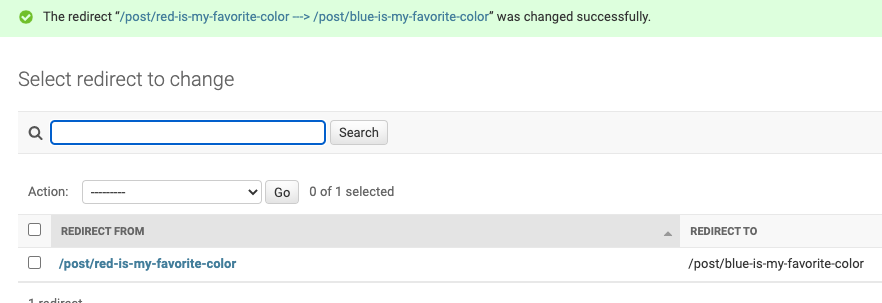
I could add something in signals.py to do this automatically on slug change, but I don't want this behavior to be automagic, and I don't change link slugs very often.
Hope that was useful to you 😁