Solly's Blog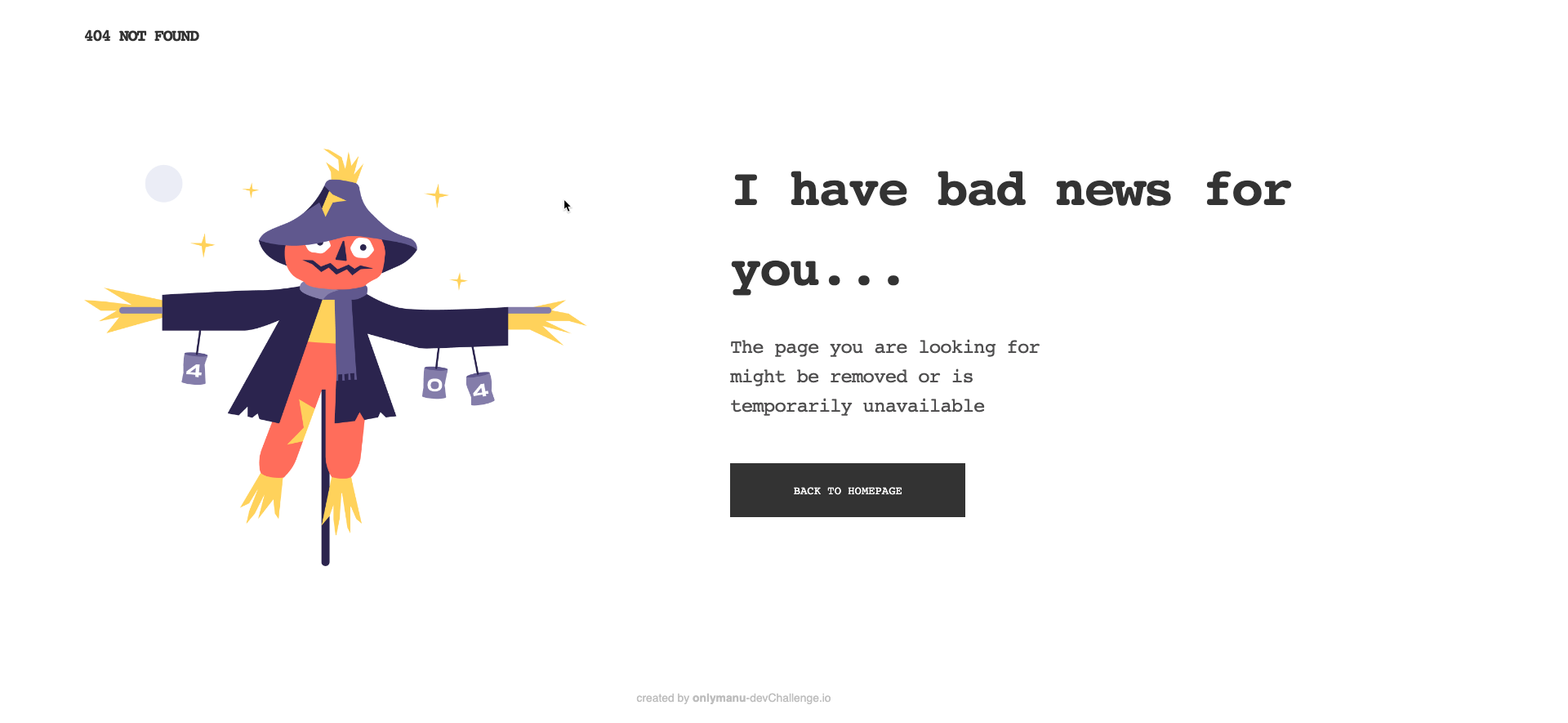
I was watching an excellent LinkedIn learning course, Advanced Django, when I came across an example where the author talked about setting up a 404 page.
I implemented it on blogthedata.com with this commit. Go ahead, try it out!
https://blogthedata.com/doesnotexist
I first needed to adjust my views so that if a post/category was not found, it threw a 404 error instead of a 500.
# views.py
from django.shortcuts import get_object_or_404
def get_queryset(self):
        post = get_object_or_404(Post, slug=self.kwargs["slug"])
The second was to add a 404 handler to my view. This references a template containing all HTML shown when a 404 is thrown. I thought it would be fun to search '404 page' within public Github repositories, and I was not disappointed! I came across this one which appears to be the result of a coding challenge where they were tasked to create a 404 page.
# views.py
def handler_404(request, exception):
    return render(request, "blog/404_page.html")
Finally, add the handler to urls.py
# urls.py
handler404 = "django_project.views.handler_404"
We now have a pretty 404 page instead of an ugly default page. If I want to go further, I could design templates and handlers for other types of errors, such as 500 (server error) and 403 (Not allowed). Perhaps I'll tackle that in the future!