 Solly's Blog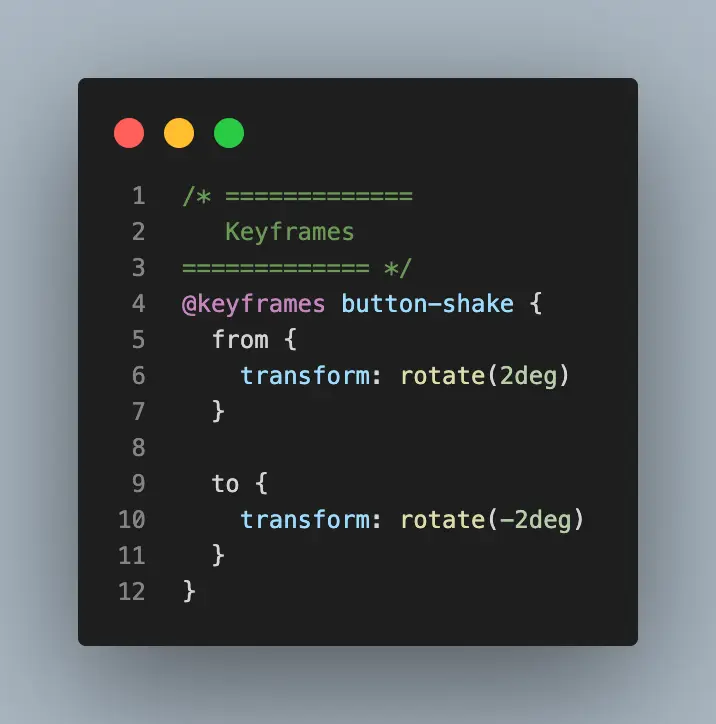
After finishing Net Ninja's CSS tutorial on YouTube, I figured out how to add a subtle shake to any element.
@keyframes button-shake {
  from {
    rotate:2deg
  }
  to {
    rotate:-2deg
  }
}
This takes the element and rotates it a little bit clockwise and then a little bit counterclockwise. This creates a nice effect on hover.
@media (hover: hover) {
 nav a:hover {
 animation: button-shake 0.3s linear;
   }
}
I am nesting it inside @media (hover: hover)because that will limit the animation to only devices that have hover (don't use the animation on mobile). If you don't do this, you'll notice the animation firing off when you tap on an element which looks weird.
With any kind of optional movement on your site, you also should take a look at the prefers-reduced-motion media query to make sure the animation is turned off for people who have movement sensitivities. All I had to do was add this snippet to my CSS file.
@media (prefers-reduced-motion: reduce) {
  nav a:hover {
    animation: none
  }
}
And we're done!